Hi David,
This is usually a problem on the client (of which you'll have no control) or the Origin. (web server)
The HTTP/2 settings can be adjust within the website under the delivery settings. (left hand nav)
There are 3 options:
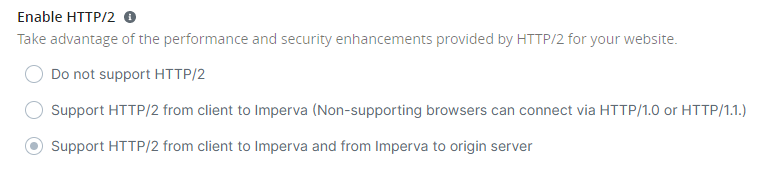
The first will disable HTTP/2 support completely.
The second option will enable support from client to Imperva, but then use HTTP/1.0 or HTTP/1.1 to communicate with the Origin. (webserver) If you select this option and the errors persist then you know the problem is with the clients. If the errors go away, then you know the problem is with the Origin.
The third option will enable HTTP/2 support from the client to Imperva, and Imperva to the Origin.
------------------------------
Jaired Anderson
Imperva
------------------------------