Hi
Imperva CWAF has recently introduced a new feature that allows us to run Traceroute, MTR, cURL, Traceroute and DIG commands directly from the CWAF portal. This enhancement enables quick network diagnostics without requiring TAC involvement, streamlining troubleshooting and reducing turnaround time.
This capability will be particularly useful for identifying routing issues, DNS resolution problems, and latency patterns across our protected applications.
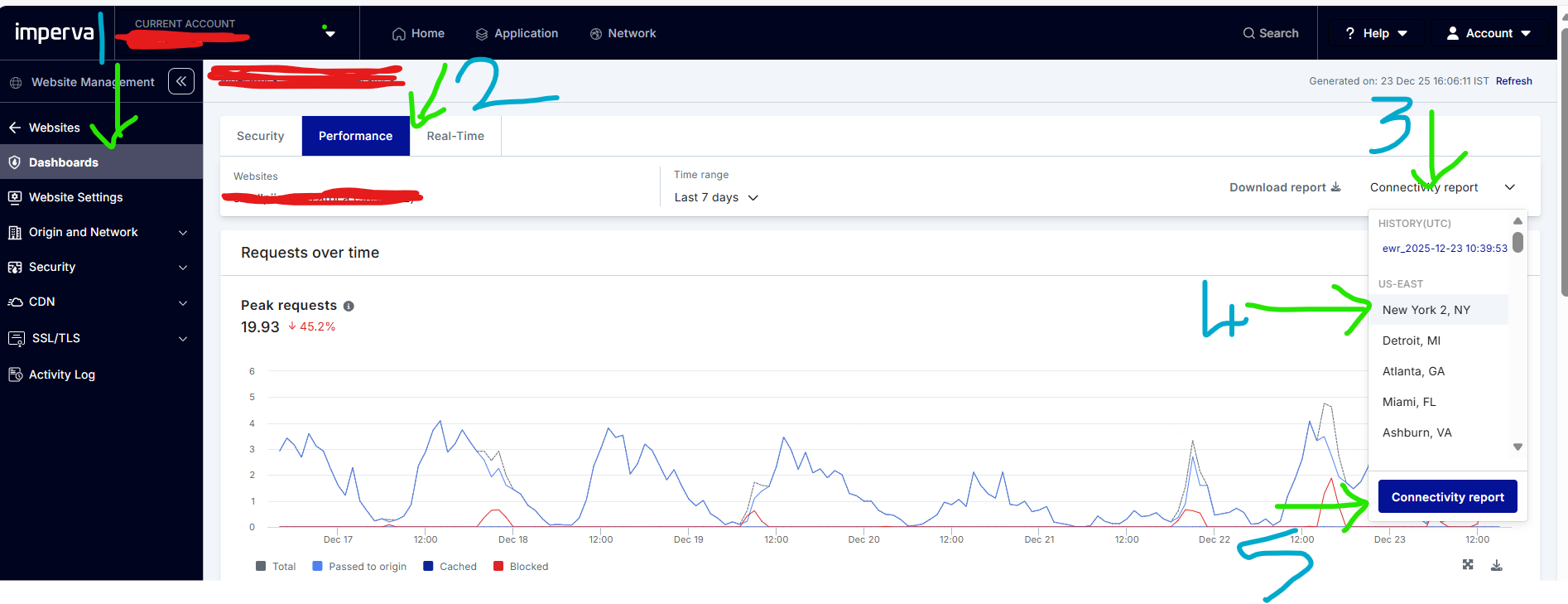
Step 1 : In Imperva CWAF Portal -> Go to Services (Left Panel) Expand WAF option -> Then click Dashboards
Step 2 : Go to Performance tab
Step 3 : Click Connectivity Report - it will expand and show the Imperva's POPs
Step 4 : We can pick the required POP to get the results. (The results will be combine of Traceroute /DIG/MTR)
Step 5 : Click Connectivity Report to initiate the report
Step 6 : This takes few moments to complete the scan and view option will pop-up in the top right.
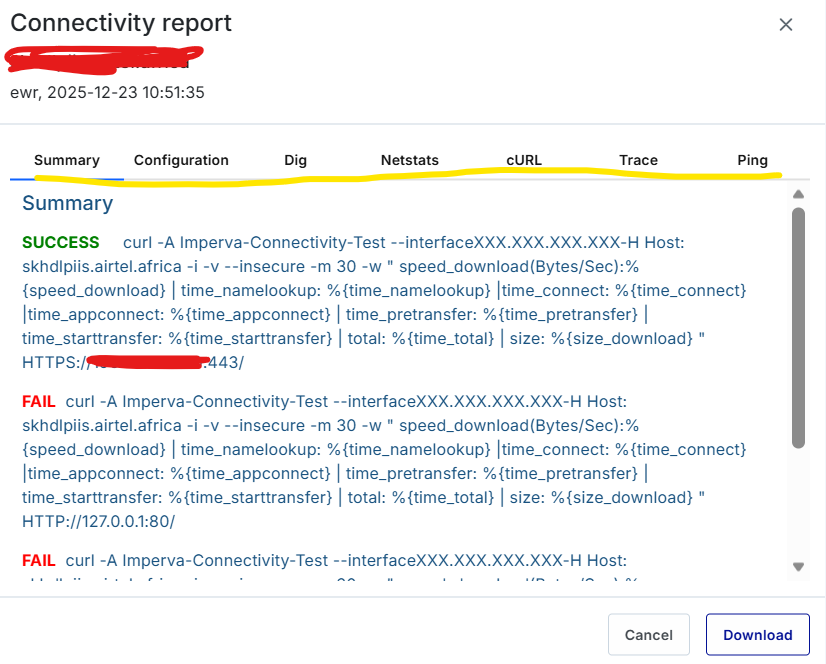
Step 7: We can explore the required tab in the connectivity report , if required we can download it.
#CloudWAF(formerlyIncapsula)
------------------------------
Gopalakrishnan Manisekaran
Senior Manager
Bharti Airtel Ltd
Gurgoan
------------------------------