In Imperva, both CNAME based and TXT-based Subject Alternative Name validation are DNS methods used to prove domain ownership for SSL/TLS certificates.
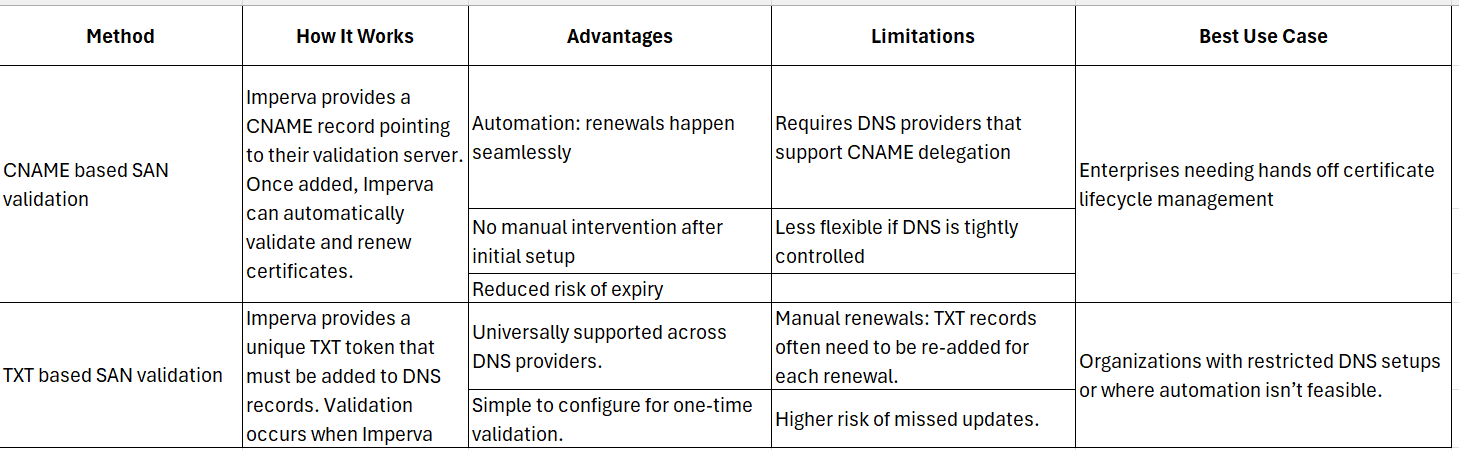
The key difference is that CNAME validation is automated and easier to maintain at the same time TXT validation is manual and which requires more effort every 6 months to renew the TXT records in DNS in order to achieve the SAN validation . If any miss it may lead to impact the SAN validation ,Which results application/FQDNs won't get the valid certificate.
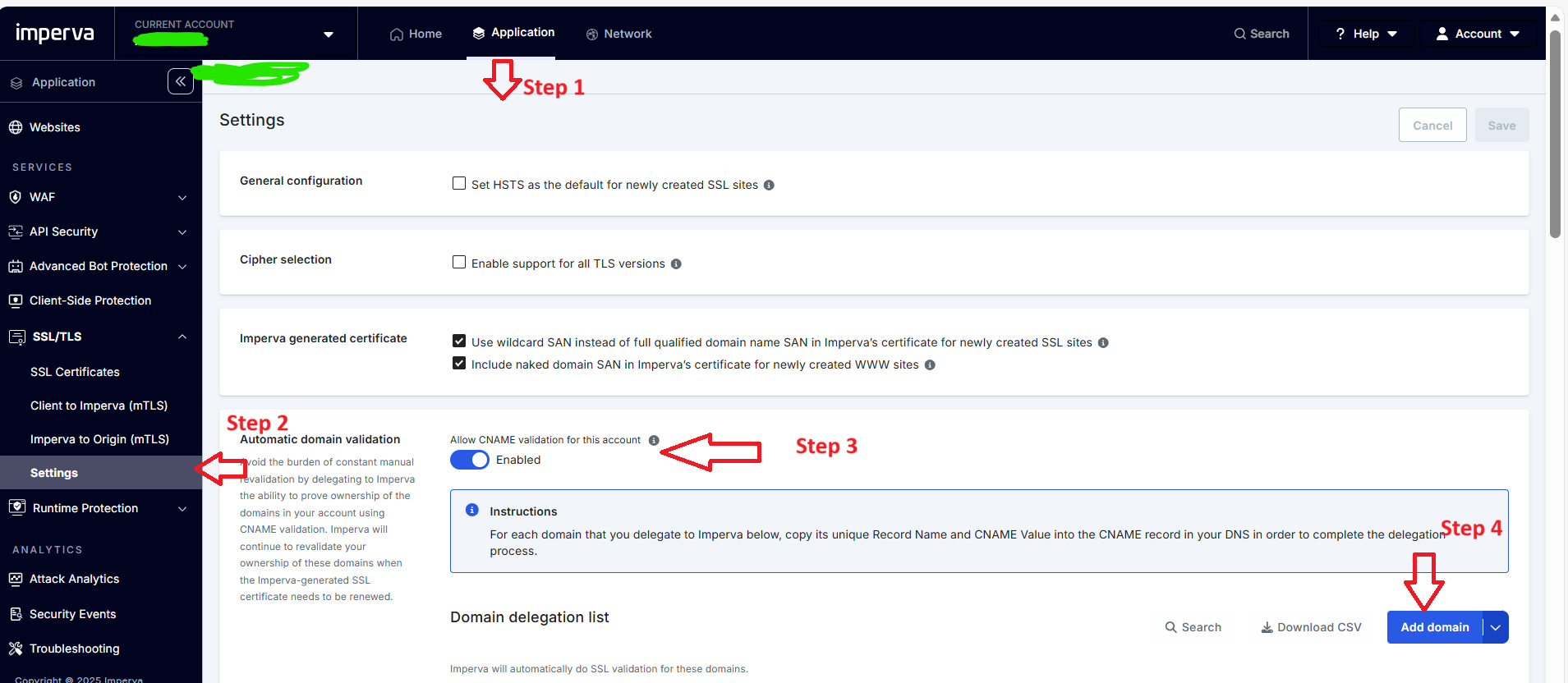
Step 1 :Once Login Root account Go to Application Tab on Horizontal Menu
Step 2 :In Left Vertical Menu go to SSL/TLS --> Settings
Step 3 :Enable the feature [Allow CNNAME Validation for this account]
Step 4 :On Bottom Right Click Add Domain(s) feature
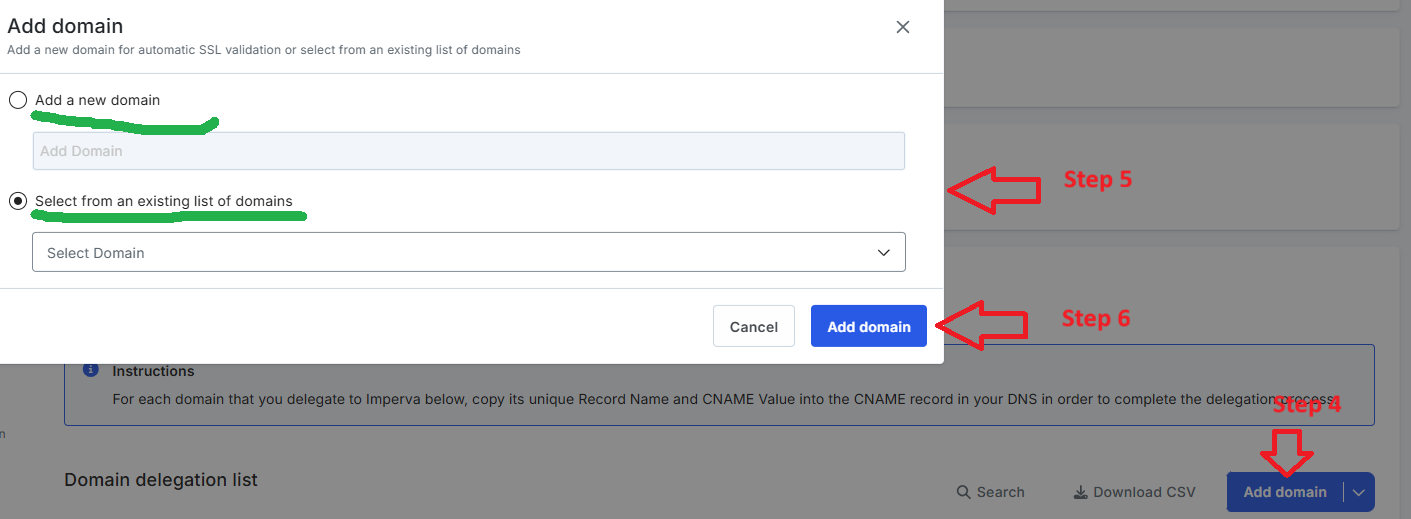
Step 5 : We can choose the option to create a new domain or Select from the List of existing domains
Step 6 : Once we choose the domains, we can click Apply and see the CNAME records and respective domains
Step 7 : We needs to update the CNAME in the respective DNS records and changes will be propagated in few minutes to hours ****
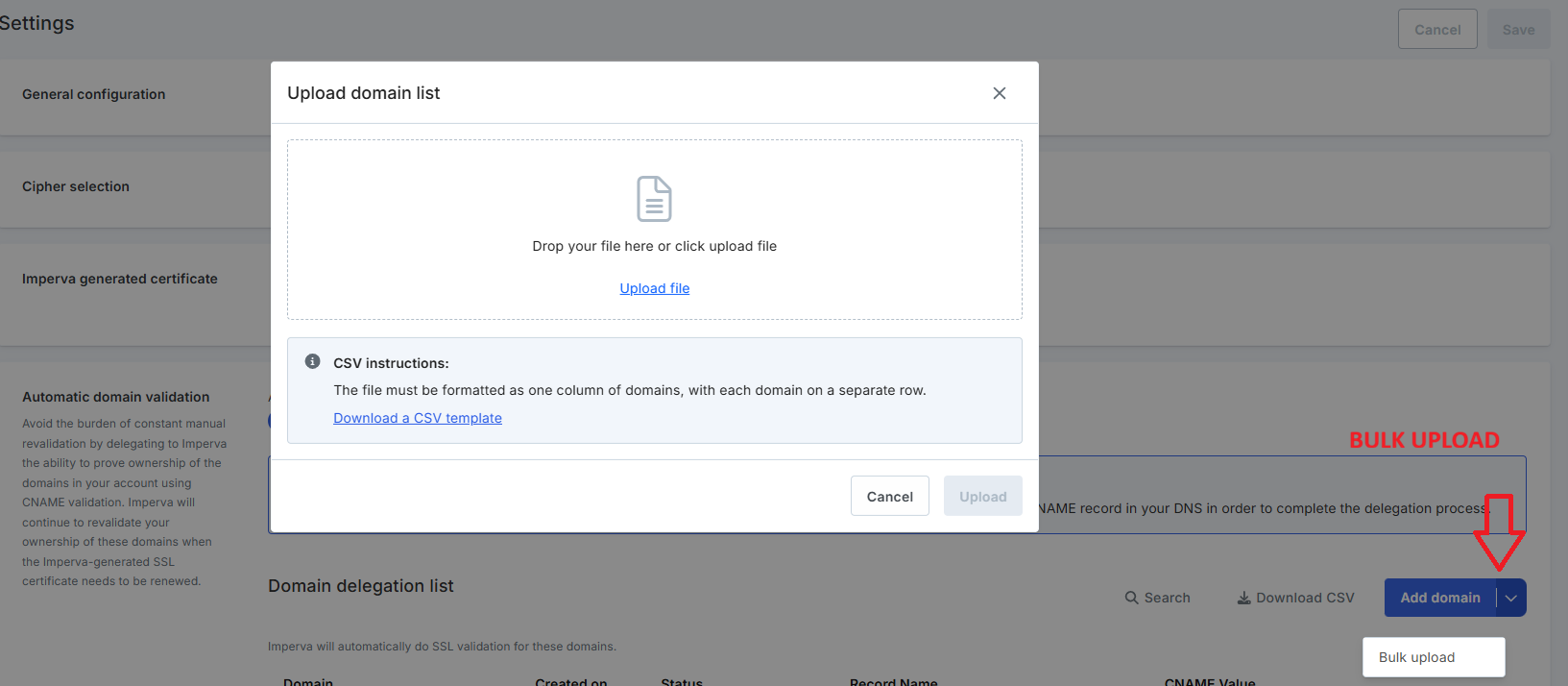
Note : In Imperva CWAF -We have an option to upload the Bulk Domains
Additional Info :
SAN (Subject Alternative Name) :
An extension in SSL/TLS certificates that allows multiple domain names (FQDNs) to be protected by a single certificate.
Example: A certificate with SANs can secure example.com, www.example.com, and api.example.com together.
Critical for organizations managing many subdomains or services.
TXT Record :
A type of DNS record that stores arbitrary text. Commonly used for domain validation (e.g., SSL certificate issuance, email SPF/DKIM).
In certificate validation, the Certificate Authority (CA) gives you a unique token to place in a TXT record. The CA then checks DNS to confirm domain ownership.
CNAME Record :
A DNS record that maps one domain name (alias) to another (canonical name).
In certificate validation, Imperva (or another CA) provides a CNAME pointing to their validation server. Once added, validation and renewals can be automated.
Example: _acme-challenge.example.com → validation.imperva.com.
#CloudWAF(formerlyIncapsula)
------------------------------
Gopalakrishnan Manisekaran
Senior Manager
Bharti Airtel Ltd
Gurgoan
------------------------------